Finally, after 2 years of learning Rust, and hard work, I can release and share what I have built. This is my very first project that I shared into public. Hope with this project, can help developer to kick start web API development.
I know this project is imperfect but I believe if I share to the public I can receive some feedback, and that feedback can help me to improve my project.
This project is a Boilerplate or starter kit for those of you who want to build Web API using Rust. The architecture itself on how I cook this project I took the ingredient from some of well known project. Like NestJs, Spring Boot, and Laravel.
Why I’m Building This Project?
I built this project purposely for education, especially for me, because I need some feedback to improve this project and upgrading my skill.
I use this starter kit for my hobby project too, because as we know Rust is like raw material that we need to prepare before we cook, with this project you already prepare so you can focus on the product.
Other than that, when I’m learning Rust for web API there is no solid reference that I can follow.
Project Overview
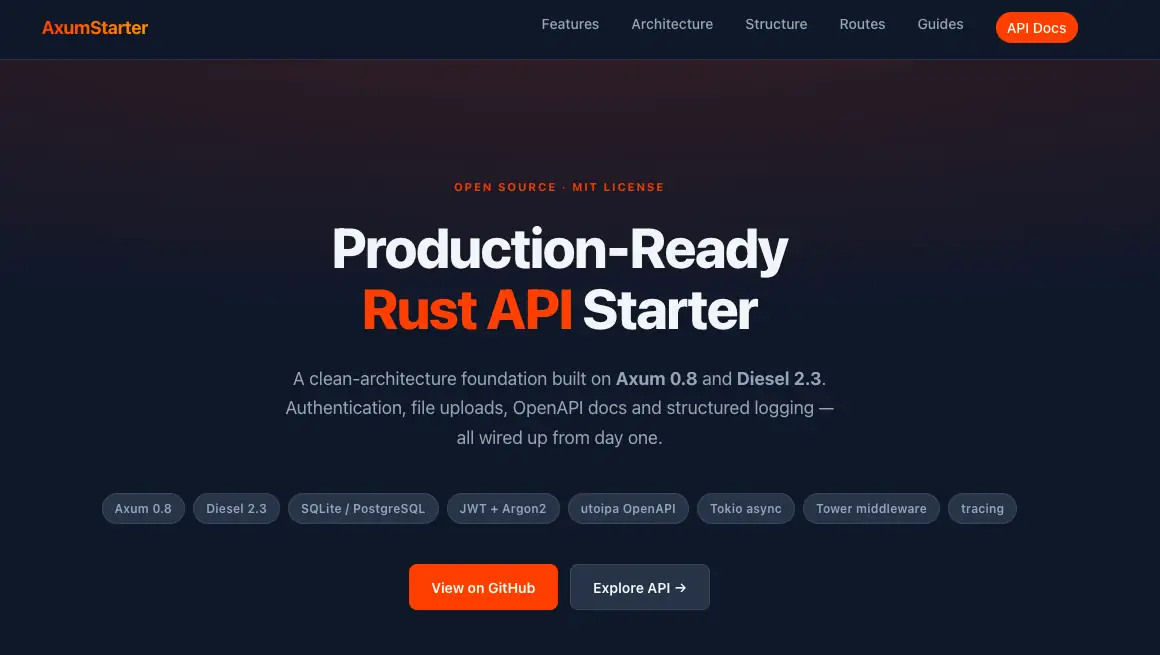
axum-starter is a production-ready Rust API starter kit built on Axum 0.8, the most popular async web framework in the Rust ecosystem right now.
The full stack includes Diesel 2.3 as the ORM, JWT authentication with Argon2 password hashing, file uploads, structured JSON logging, and auto-generated OpenAPI docs all built-in.
The usage is deadly simple, clone the repo, run one command, and you have a working API server that is already production-ready.
Project Source https://github.com/thomijasir/axum-starter
Features
- Axum 0.8 — async web framework with full
async/awaitsupport - Diesel 2.3 ORM — SQLite for development, PostgreSQL for production, migrations included
- JWT + Argon2 — token-based authentication and secure password hashing
- File Upload — with MIME type validation
- OpenAPI / Swagger — auto-generated docs, available at
/specin development only - Structured JSON Logging — via Tracing crate
- Snowflake ID Generation — distributed-safe unique IDs
- Layered Architecture — Controller → Service → Repository pattern
Quick Start
Clone the repo and run:
git clone <a href="https://github.com/thomijasir/axum-starter" rel="nofollow" target="_blank">https://github.com/thomijasir/axum-starter</a>
cd axum-starter
./run.sh dev
Server will start at http://localhost:3099. Open http://localhost:3099/spec to see the Swagger UI with all available endpoints.
Package with runner script run.sh
Instead of running cargo commands directly, this project uses run.sh as the task runner. It automatically loads the correct .env file before running the app, you don’t have to set environment variables manually every time.
# Currently support and tested on MAC Only
./run.sh dev        # development server with .env.local
./run.sh staging    # run with .env.staging config
./run.sh prod       # run with .env.production config
cargo test          # run the full test suite
Environment Files
The project comes with three environment file templates, one for each stage:
.env.local— for local development.env.staging— for staging environment.env.production— for production
I don’t use any third-party only for load env files, instead using direct inject before project run. Update the run.sh to target the environment, and you are good to go.
Available API Endpoints
This API is just sample you can remove if you don’t need this API.
| Method | Endpoint | Description |
|---|---|---|
| GET | /health |
Health check |
| POST | /auth/register |
Register new user |
| POST | /auth/login |
Login and get JWT tokens |
| POST | /auth/refresh |
Refresh access token |
| GET | /user/profile |
Get user profile |
| GET | /attachment |
List uploaded files |
| POST | /attachment |
Upload a file |
| GET | /attachment/:id |
Get a file |
| DELETE | /attachment/:id |
Delete a file |
| GET | /spec |
Swagger UI (dev only) |
Project Structure
Based on my experience. I use some reference to define on how I define the project structure. I use Barrel Export pattern combine with MVC so this is the result.
# Just snippet folder structure

axum-starter/
├── src/
│   ├── main.rs
│   ├── config.rs
│   ├── server.rs
│   ├── modules/       # auth, user, health, attachment
│   ├── extractors/
│   ├── services/
│   ├── models/
│   ├── schemas/
│   └── utils/
├── migrations/
├── tests/
├── guide/
├── run.sh
├── docker-compose.yml
└── Dockerfile
Full detail can see in the project.
Project Architecture
The architecture follows a strict layered pattern where HTTP handlers call services, services call repositories, and repositories talk to the database. Nothing goes the other way.
- Request → Controller (HTTP layer)
- Service (Business logic) → Repository (Database layer)
- Database (SQLite / PostgreSQL)
For error handling, errors propagate as string codes like NOT_FOUND or EMAIL_ALREADY_EXISTS, then convert to HTTP status codes at the boundary.
For authentication, I use a self-contained Axum extractor instead of middleware, so handlers can declare their auth requirements directly in the function signature.
Documentation
I prepared the recepies book to guide how to use this starter kit properly. I know you are a pro in Rust development but I just want to help beginners that still struggle.
- Architecture Guide (
guide/ARCHITECTURE.md) — System design, layered architecture, request lifecycle, OpenAPI setup - Coding Conventions (
guide/CONVENTIONS.md) — Module structure, naming conventions, error handling patterns - Development Rules (
guide/RULES.md) — Do’s and don’ts, workflow rules, security guidelines
Common Question
Why Axum and not Actix-web? Actix-web is great, but Axum is built by the Tokio team and integrates more naturally with the async ecosystem. The ergonomics are cleaner for layered architectures. I also just like the way it’s designed and well fit for my style.
Do I need to know Rust well to use this starter kit? Rust basics will help a lot. This starter kit removes the setup friction, this boilerplate design focused on your product rather than to the setup and library.
Is this production-ready or just a toy project? It is production-ready in the sense that the patterns, security setup (JWT, Argon2), and logging are solid. But every production app is different. You will need to adapt the configuration to your environment.
Why SQLite for dev and PostgreSQL for prod? SQLite is zero-setup. You can clone the repo and run it immediately without installing a database server. You can check inside folder service I provide Postgres client just in case you need.
Conclusion
The goal of this boilerplate is to keep dependencies minimum without sacrificing capability and developer experience.
Because this is an open-source project, I would love to collaborate with the community, if you have ideas for improvements, don’t hesitate to fork and open pull request. I’ll be happy to review and add those improvements into my project.
Finally if you found this project useful, please consider giving it a star on GitHub. My goal is to hit 100 stars so I can submit it to the Awesome Rust list, so everyone aware about this Rust starter kit.
Thanks and see you another project.